

Selling at the right price is half the profit. The extension puts the market price, what you paid and the net after tax right where they are needed: in the card panel and at the top of the transfer list.
The Sell box
- 1Open one of your cards (transfer list, club, unassigned): above the EA buttons the Sell box appears.
- 2Read the market price with its age (green dot < 15 min, yellow < 1 h, grey older) and what you paid for the card (from the Trader log or the auction you won).
- 3Adjust the price with −/+ in market steps or with the −10% … +10% presets; the EA Min BIN button measures the exact value right now.
- 4Check the net income (5% tax) and the difference from what you paid, then press Sell at …: the card is listed for the chosen length with a starting bid at 90%. If it is in the club it is moved to the transfer list first.
Bulk sell
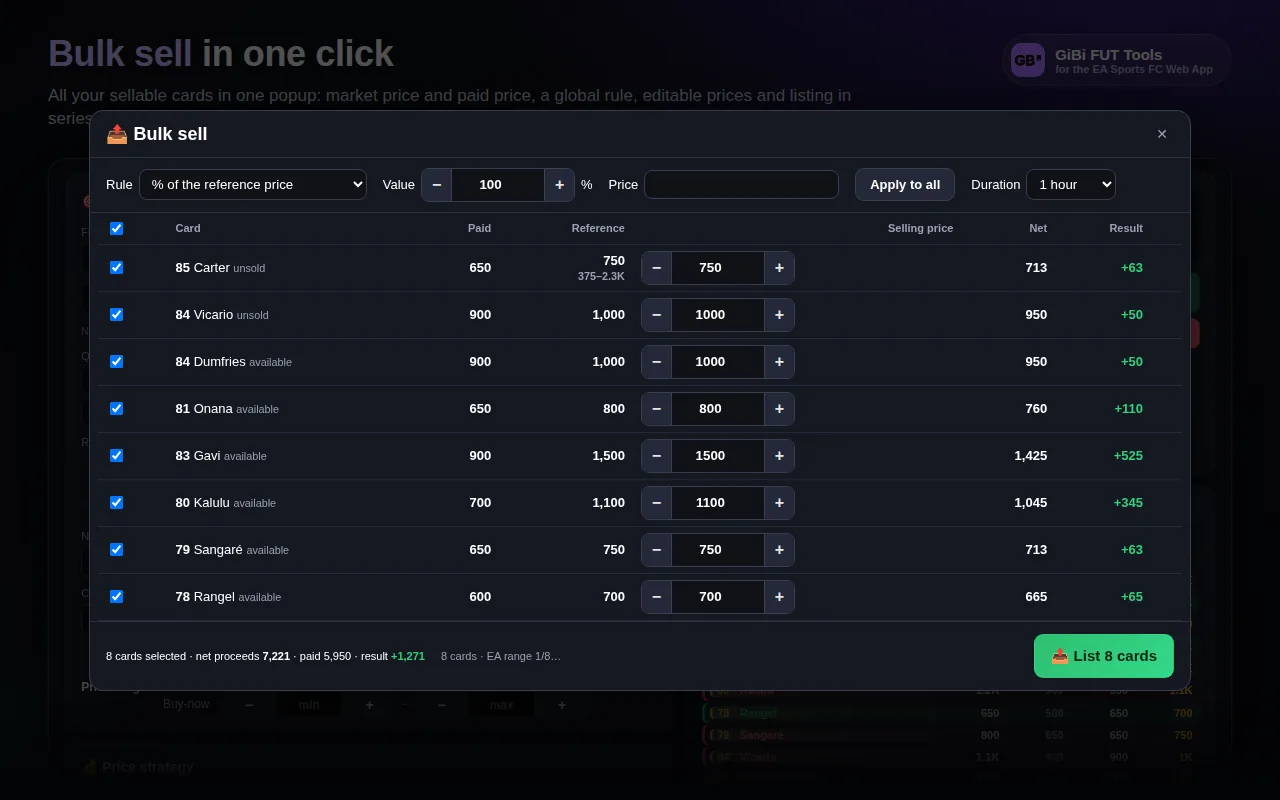
- 1Press 📤 Bulk sell next to the transfer list (or Transfer Targets) title, or in the Trader.
- 2The popup lists every sellable card: available, unsold, won auctions (from the Watched list only won auctions enter). Rows appear in a couple of seconds; the EA range of each card arrives in the background and tightens the prices as it goes.
- 3Pick the global rule: % of the market price, % margin on what you paid net of tax, or a fixed price. Then fix single rows with −/+ if you like.
- 4Check EA prices measures the Min BIN of every selected card.
- 5Pick the length and press the single button: the cards are listed in sequence with a starting bid at 90%.
The profit boxes
In the lists (transfer list, club, unassigned), on the row of every card you own next to the stats appear Paid, Sold / Listed / market with the net, and Profit or Potential in green or red.
What price the tool sells at
The proposed price is not the market minimum: it is the level the market absorbs. From the distribution of the lowest buy-nows the tool computes the liquid floor (the most frequent price among the 21 cheapest auctions) and the pressure (how many auctions sit below). If the market holds, you sell at the liquid floor; if it is falling, at the more cautious level. Example: 25 auctions at 4,000, 8 at 3,300, 2 at 3,000 → buy ≤ 3,000, sell at 4,000.
The starting bid is never below break-even (paid ÷ 0.95 rounded to the EA step): whoever wins the auction never makes you lose. Prices and starting bid always stay inside the card’s EA range.