
Three automations, off by default, keep the transfer list and the Watched list tidy while the Web App is open. The purchase log and the recap in the transfer list tell you how your market is really going.
The three automations
In GiBi → Settings → Preferences. They run every 2 minutes; with the switch off they touch nothing.
- Clear lost auctions: removes from Transfer Targets / Watched the auctions closed without a win; won and running ones stay.
- Clear sold: removes sold auctions from the transfer list, but only after the log has counted them (sale, real net, recap).
- Relist unsold: every expired auction without a buyer goes back on sale at the same price (at most once every 5 minutes); Gallery cards follow their own price-drop rules.
The purchase log
In the Trader, the Purchases section (memory of 100 purchases, pages of 25 or 50 rows) shows for every card paid, list price, expected profit (list − 5% − paid) and, once the card is sold, sale price and real profit. States: listed, unsold, ✔ sold (price read from EA), ≈ sold (gone from the list: estimated net), club.
Manual purchases in the Web App enter too: a Buy now at once (by hand label), a bid when the card shows up won (manual auction). The sales check runs every 2 minutes while the Trader is active, when the page opens and with ↻ Sales.
Your market today
At the top of the transfer list the 📈 Your market today card shows the day’s strip Spent → Earned = Net and six boxes: Bought today, Sold today (with real profit), Listed (“if you sell everything”), To collect, Unsold, Trader total. The day’s sales stay in the count even after Clear sold.
The popup and the sounds
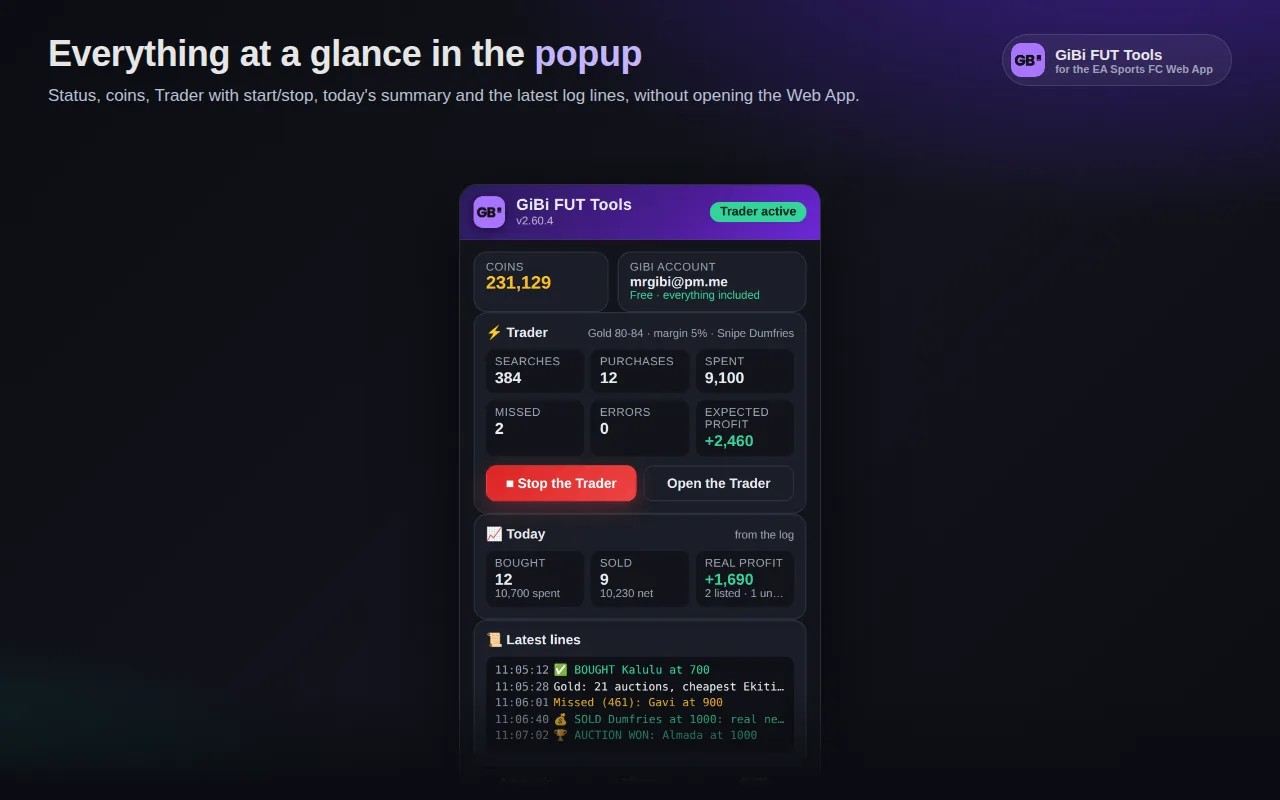
The extension popup shows status, coins, account, the Trader card with ▶ Start / ■ Stop, the Today card from the log and the last log lines. With audio on in the Settings, distinct sounds for a purchase, a Gallery card taken, a sale, a completed challenge, a pause requested by EA and a captcha.